Pick up the thread.
Carry the useful parts forward.
Recover the constraint, remember what went wrong, and find the source behind a useful idea. Threadwell brings your captured AI work into a searchable knowledge libraryand helps you create context drafts you can review and reuse in your next task.
Two pillars, one console.
Usage measurement supports a source-backed library of your work. The views below illustrate the earlier console; your authenticated workspace shows your own current records.
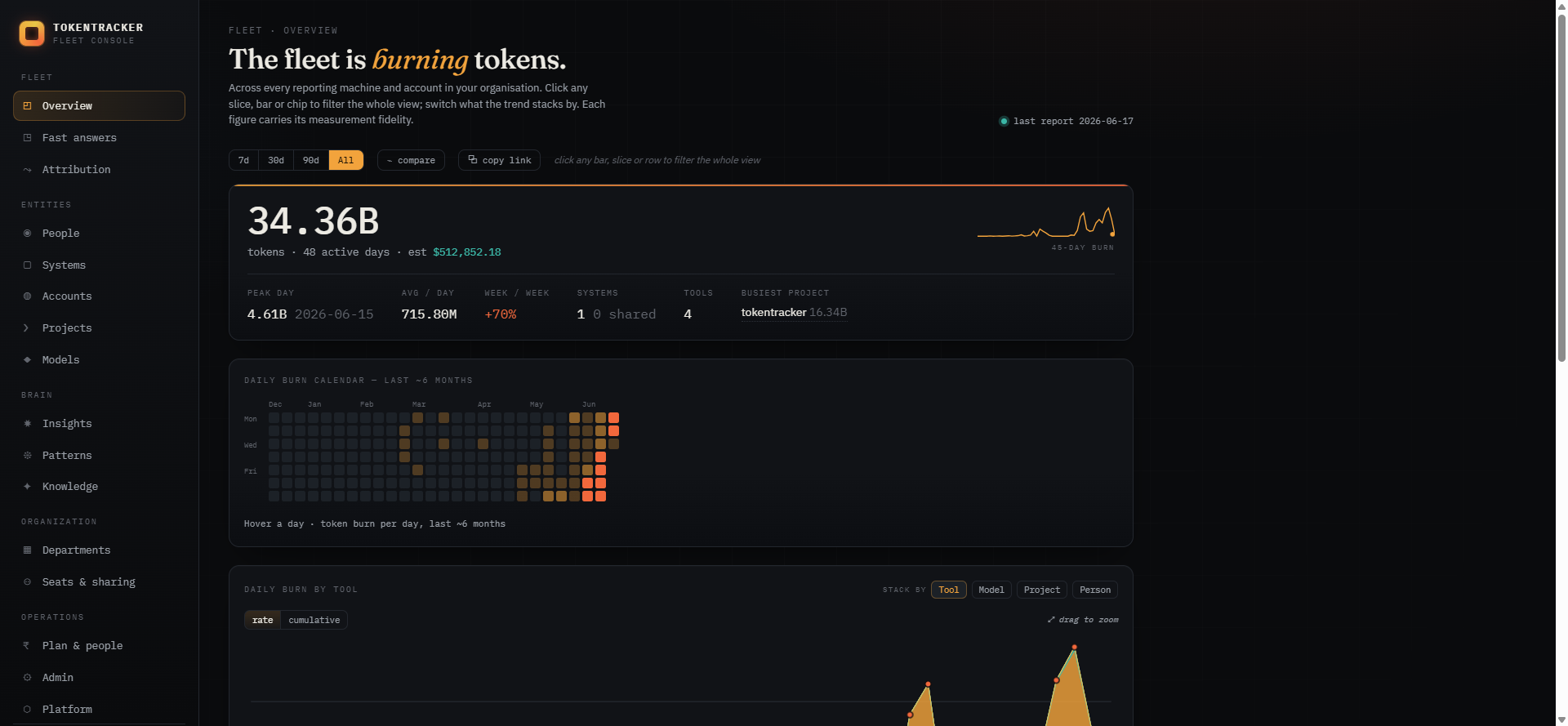
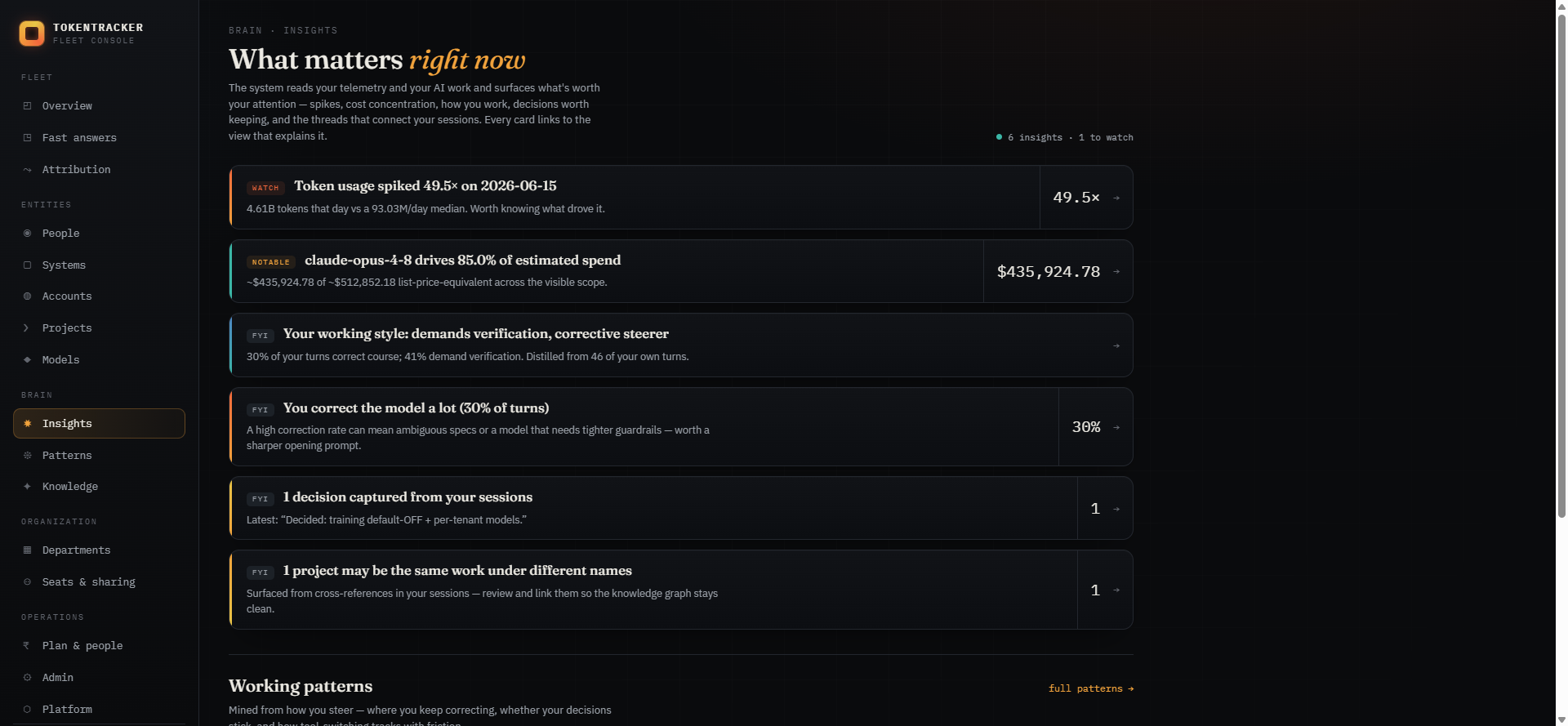
One pipeline, from the keystroke to reuse.
Everything below runs on one governed source of truth — your team’s real AI activity, captured at the endpoint where every tool is visible.
Capture
collect supported sources under your chosen policy
Structure
identify · resolve · link across tools
Distill
build-story · working-style · decisions
Recall
hybrid full-text + semantic search
Use anywhere
an MCP server for any assistant
Four questions, answered for every token.
Project & repo
Every turn is tagged to the working directory it ran in — real project names, no genericising.
Tool & model
Claude, GPT/Codex, Cursor and the chat apps side by side — which engine burned it.
Account · system · person
Per login, per machine, per OS user — and how many people share one account (seats).
Interactive vs agent
Human turns vs autonomous sub-agent work, with exact / approx / estimated fidelity on every figure.
The part no token tracker has.
Token counts tell you the cost. The knowledge layer keeps the work — structured, linked, distilled and searchable, so nothing your team learns with AI is lost.
Capture with permission
A local agent reads supported tools’ logs, redacts credentials on the machine and delivers the content your policy allows. Pending delivery and source coverage stay visible.
Identify, resolve & link
The same project under different names — in Claude Code and in Codex — collapses into one entity, tagged by activity. Your work stops scattering across tools and storage keys.
Keep useful context
Browse extracted constraints, preferences and gotchas alongside source dates and extraction versions. Compare a statement with the recorded source before adopting it.
Find related knowledge
Keyword and semantic retrieval bring useful statements back when your wording changes. Missing or ambiguous references are visible, and context drafts keep their evidence for review.
Your team didn’t just spend tokens. It learned.
Almost all of that learning evaporates the moment a chat scrolls away. Threadwell keeps it.
- The failed approaches you already ruled out
- Why you chose X over Y, three weeks ago
- The prompt that finally cracked it
- How a teammate already solved the same thing
- Every trajectory — what you tried, corrected and verified
- Decisions captured verbatim, and searchable
- Your working-style fingerprint, reusable in any assistant
- One linked graph across every tool, machine and person
Use your knowledge in any AI tool.
Connect Threadwell as an MCP server and every assistant — claude.ai, Claude Desktop, Cursor, your own agents — can search, recall and reason over your gathered AI history. Read-only, your own data, secrets never present.
https://tokentracker-console.vercel.app/api/mcplist_projectslist_sessionsget_sessionactivity_timelinesearch_my_turnsworking_styleget_decisionsget_trajectoryget_knowledgeget_project_contextexport_profileHow it works
Install the agent
A dependency-light collector runs on each machine and reads the tools’ own logs — locally, redacting secrets before anything leaves.
Capture & govern
Sessions, turns, diffs and outcomes are deduped, run through a credentials gate, and shipped under your policy — idempotently.
Structure & distil
Projects resolve and link across tools; each session is distilled into its build-story, working-style and decisions — server-side, automatically.
Measure, recall & reuse
The console shows the whole fleet; search recalls anything; the MCP server hands it all to any assistant you use.
Consent and security are the product.
Opt-in & disclosed
Capture is on only when a tenant turns it on. No covert monitoring, no force-install — transparency is the product.
Secrets never leave
API keys, tokens and passwords are redacted on the machine, before anything is sent. A fail-closed gate blocks anything that looks like a credential.
Per-person row security
Postgres row-level security scopes every row to its owner. Managers see aggregates and knowledge — not other people’s raw transcripts.
Yours to delete
Provenance on every turn, and one-click delete that cascades through the derived layer. Your data, your call.
Get it running on a system
The agent is required (it reads the desktop tools’ logs); the browser extension is optional, for chat-app token counts. Web-chat history imports through the same agent, from your ChatGPT / Claude data export.
Host agent
runs on each system · Node 20+Collects Claude Code, Codex, Cursor and Claude desktop usage from the local logs, redacts secrets, validates, and ships a daily rollup — content under your policy, numbers & identity always.
npx tokentracker-agent enroll <ingest-key># grab the ingest key from the console → Onboarding# one-liner (checks Node), mac/Linux:curl -fsSL …/install.sh | TB_FLEET_INGEST_KEY=ttk_… sh
Browser extension
Chrome / Edge · MV3Captures chat token usage — numbers only, never message text — from Claude.ai, ChatGPT and Perplexity, and ships it to the fleet.
# 1 · unzip, then in chrome://extensionsenable Developer mode → Load unpacked# 2 · Options → paste your ingest key
Start free for 14 days. No card.
Every workspace begins on a 14-day trial with room for a whole team — no card required. Pick a plan when you’re ready.
Solo
For an individual or a tiny team.
- Up to 3 people
- Every tool, chart & report
- Daily agent + browser extension
- The Brain + MCP
- Email support
Team
For a growing team that shares accounts.
- Up to 20 people
- Everything in Solo
- Per-person & per-account views
- Spike & anomaly tracking
- Priority support
Business
For larger orgs with custom needs.
- Unlimited people
- Everything in Team
- SSO (coming)
- DPA & data-residency options
- Dedicated support
The things people ask first.
Is this spyware?
No. Capture is opt-in per organisation, secrets are redacted on the machine before anything is sent, the agent writes a disclosure receipt, and any person can be excluded and their data deleted. Nothing is covert or force-installed.
Do you read our code or prompts?
Telemetry is numbers only — never content. The knowledge layer captures sessions only when your org turns it on, and only in redacted form (credentials stripped on the endpoint).
Does it work offline?
The agent holds unsent batches locally and retries after reconnecting. Delivery failures remain visible. Hosted knowledge remains available while the endpoint is asleep.
Where does our data live?
Records are stored in the configured Supabase project behind per-person access rules. Data residency follows that project's region.
Can we export or delete everything?
Yes — full export and per-person or whole-tenant delete, any time, from Admin → Data & privacy.